01 · BUILD
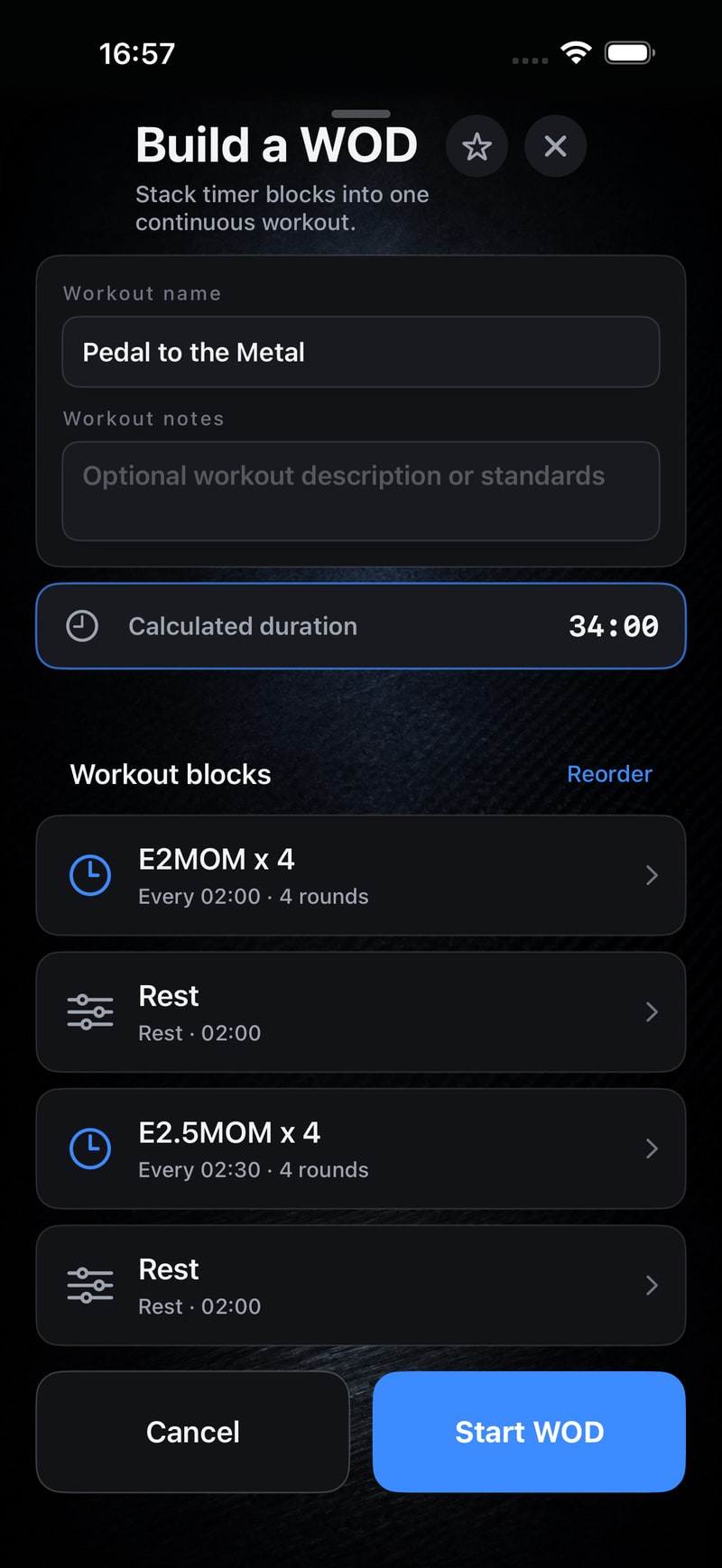
Programme the complete WOD
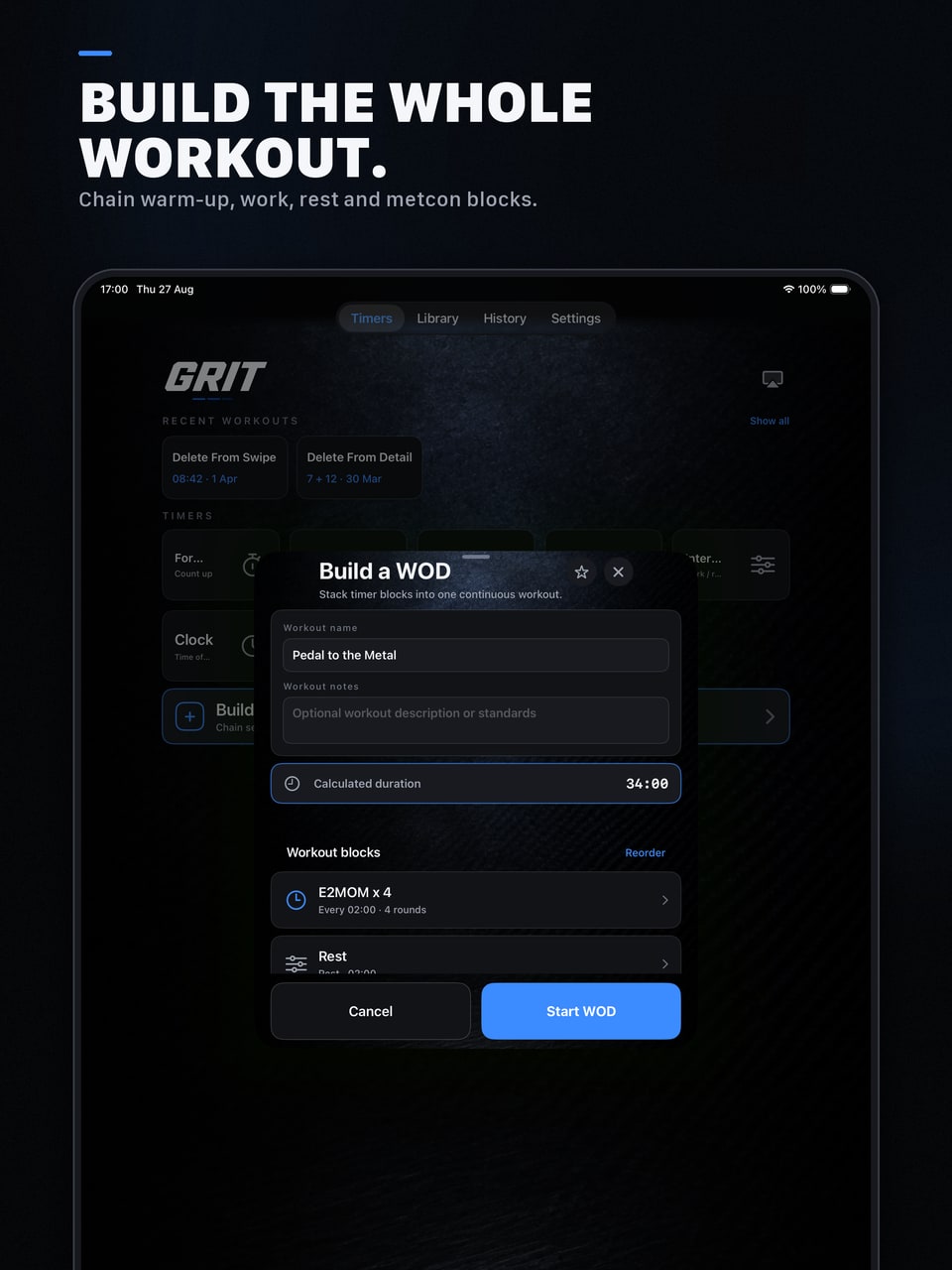
Combine For Time, AMRAP, EMOM, Tabata, Intervals and Rest blocks, then reorder and tune each phase.
A free WOD and gym timer for iPhone and iPad. Run AMRAP, EMOM, Tabata and complete multi-block workouts, with a clear clock on your device or a connected display.
One workout. One flow.
Choose a timer or build the whole session. GRIT keeps the controls simple while you train, then makes the workout easy to find and repeat.
Combine For Time, AMRAP, EMOM, Tabata, Intervals and Rest blocks, then reorder and tune each phase.
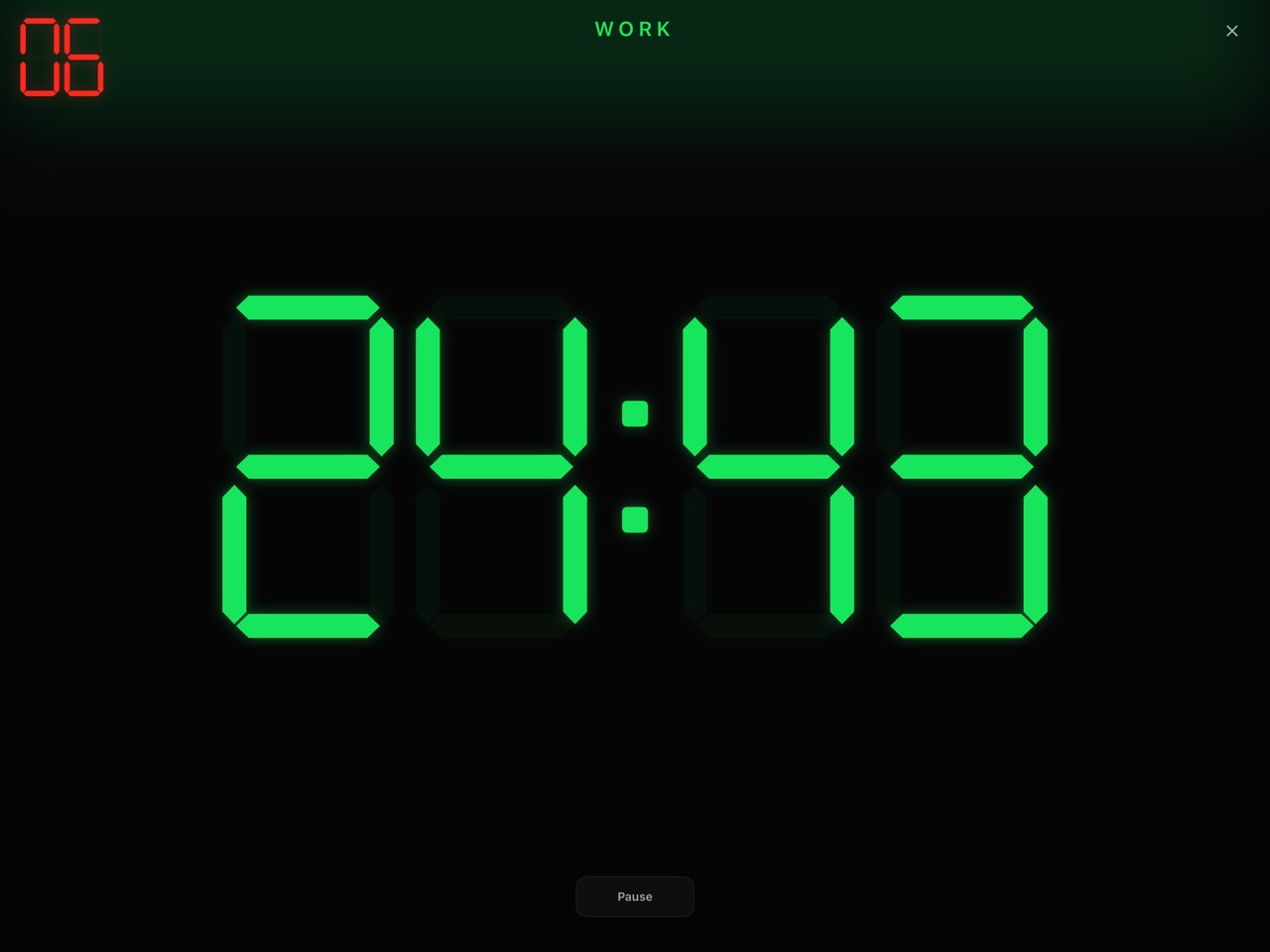
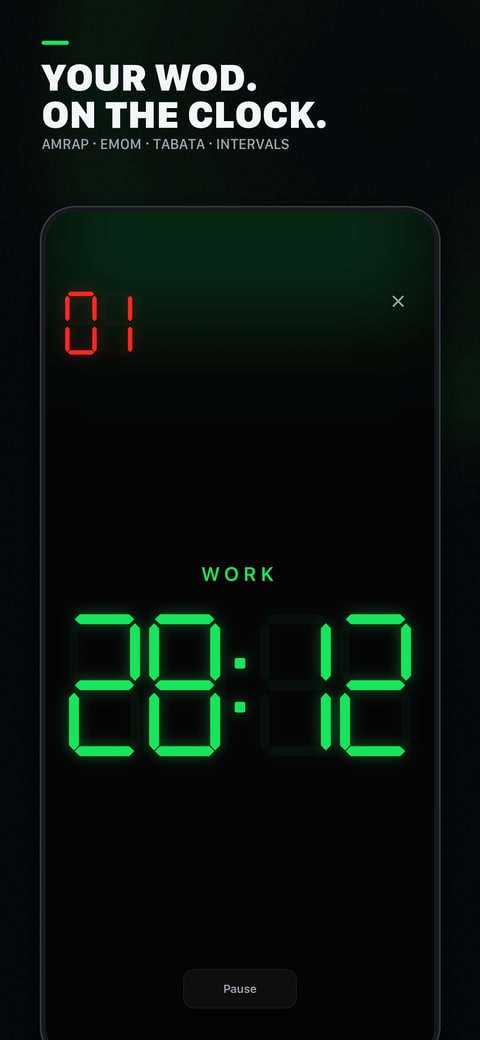
Large-format clocks, clear work and rest colours, and distinct cues keep the room on the same phase.
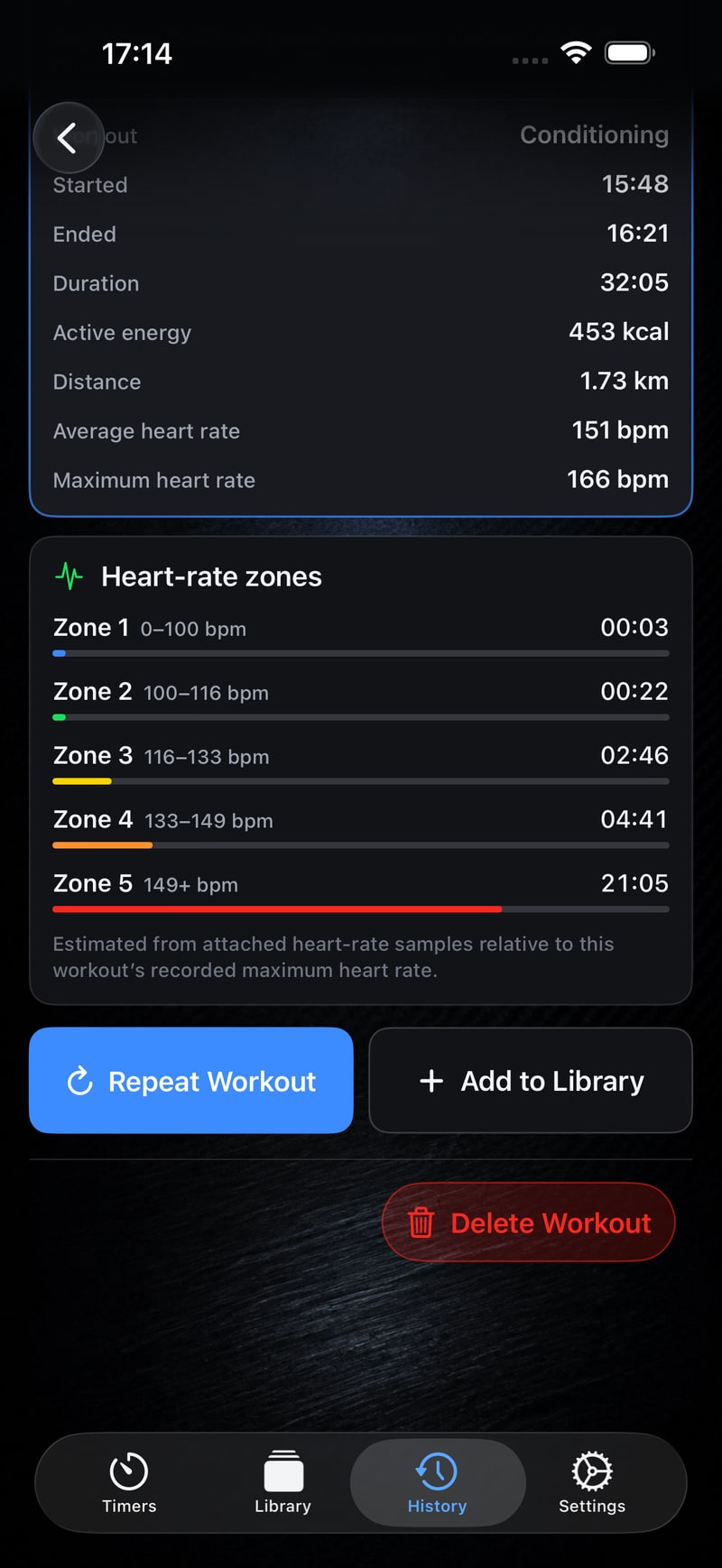
Keep results on-device, review available Apple Health detail, repeat a workout or add it to your Library.
Built for training
On iPad, iPhone or a connected display, GRIT keeps the clock readable while you train.
Run the same clear, high-contrast workout clock on the screen that suits your training space.
A connected display can show the synchronised timer without exposing controls.
Starting a workout or count-in does not interrupt external music; GRIT's cues mix with it.
WOD Recorder · Beta
Record your workout with the GRIT clock, phase and round burned into the video as you film, plus a GRIT stamp, the date and time and a unique video ID. One uncut take, nothing added afterwards.
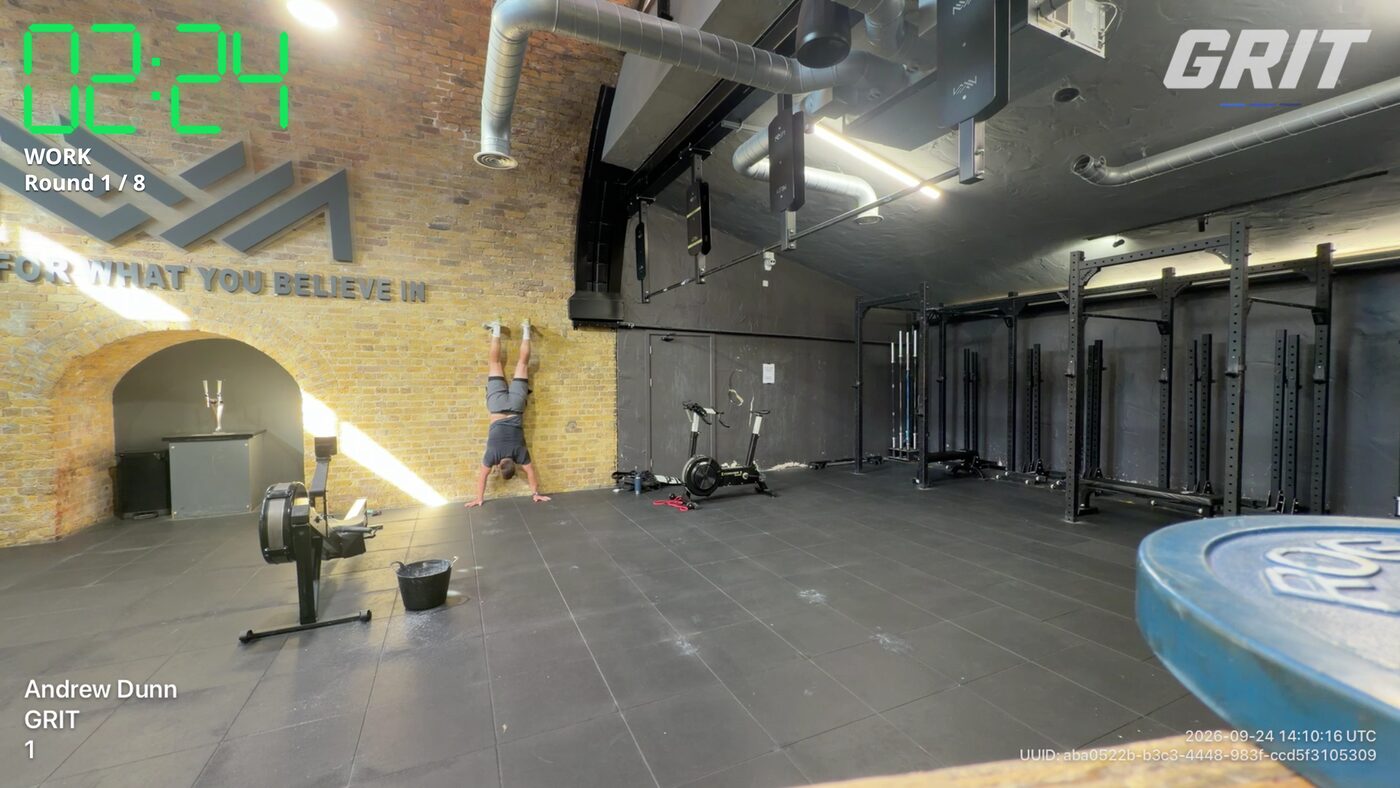
Pick any GRIT timer, press GO and train. Count-down, count-up or no clock, landscape or portrait, and it stops itself after the workout.
A pre-filming checklist, an on-camera intro, a clock that counts up from GO, and judge markers you can copy as timestamps.
Videos stay in GRIT's library on your phone. Save them to your camera roll or share them when you choose.
Metric Converter
Switch between supported distance, time and calorie targets for running, rowing, skiing and bike machines.
Equipment-aware programming estimates show their assumptions clearly. They are based on expected completion time, not exact physiological equivalents.
Try GRIT free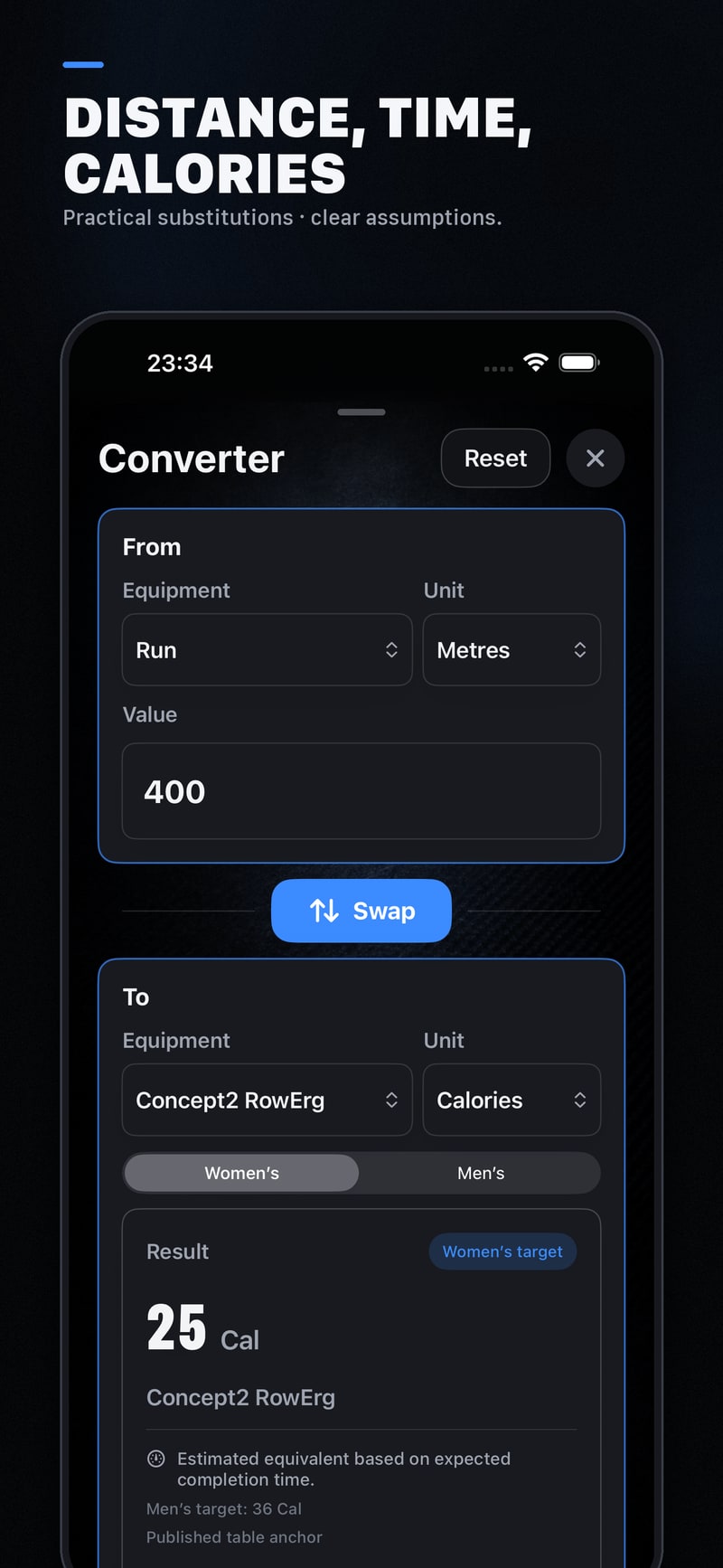
Six focused clocks
Start a single format in seconds or use it as a block inside a complete workout.
Free and private by design
The GRIT timer works without an account and keeps timer settings and saved results on your device. Apple Health access is optional.
For gyms · early access
GRIT Community is the gym side of GRIT. Coaches type the week like they would on a whiteboard, put classes on the timetable, and members see each day's workout ready to run on the GRIT timer. It is invite-only while we test it with a small number of gyms, and it uses an email sign-in.
Questions
Yes. GRIT is free, with no account or subscription.
For Time, AMRAP, EMOM, Tabata, custom work/rest intervals and a time-of-day clock. You can also combine timer and Rest blocks into one complete workout.
Yes. GRIT runs on iPhone and iPad. A connected AirPlay display can show a synchronised, read-only timer.
Health access is optional. If granted, GRIT can match a saved result with a nearby Apple Health workout and show available metrics and heart-rate-zone detail.
GRIT Community, the gym side of GRIT, is in invite-only early access. Gym owners sign in with email at app.gritwod.app. The free timer itself still needs no account. To ask about joining, email [email protected].
No. Starting a workout or count-in does not interrupt external music, and GRIT's audio cues mix with music through supported outputs.
Ready when you are
Download GRIT free on iPhone and iPad. Choose a timer, build the session and start training.
Download GRIT free