GRIT guides · iPhone & iPad
A free WOD timer for your next workout
Run your Workout of the Day with a clock that fits the session. GRIT brings For Time, AMRAP, EMOM, Tabata and custom intervals together on iPhone and iPad, with a time-of-day Clock when you just need the time.
Choose the clock that matches the workout
A WOD is a Workout of the Day; its timing depends on the session. Use For Time to measure how long a fixed task takes, or AMRAP to count down a fixed window. EMOM starts each round on a regular interval. Tabata and Intervals alternate work and recovery.
Set up your first session
- Choose the timer format from the home screen.
- Set the duration or cap, rounds and work/rest values that your session needs.
- Add a workout title and description if you want the prescription alongside your timer.
- Check the count-in and sound settings, then start.
- After training, save your result to History if you want a record.
Two examples to get you started
A 12-minute AMRAP
Choose AMRAP and set 12 minutes. Repeat your coach-selected movements until the clock ends, then record rounds and reps.
A task with a 15-minute cap
Choose For Time and set a 15-minute cap. Finish the prescribed work and record your completion time, or stop at the cap and record what you completed.
These are examples of timer setup. Choose the movements, loads and pace appropriate to your own training.
Build the whole workout once
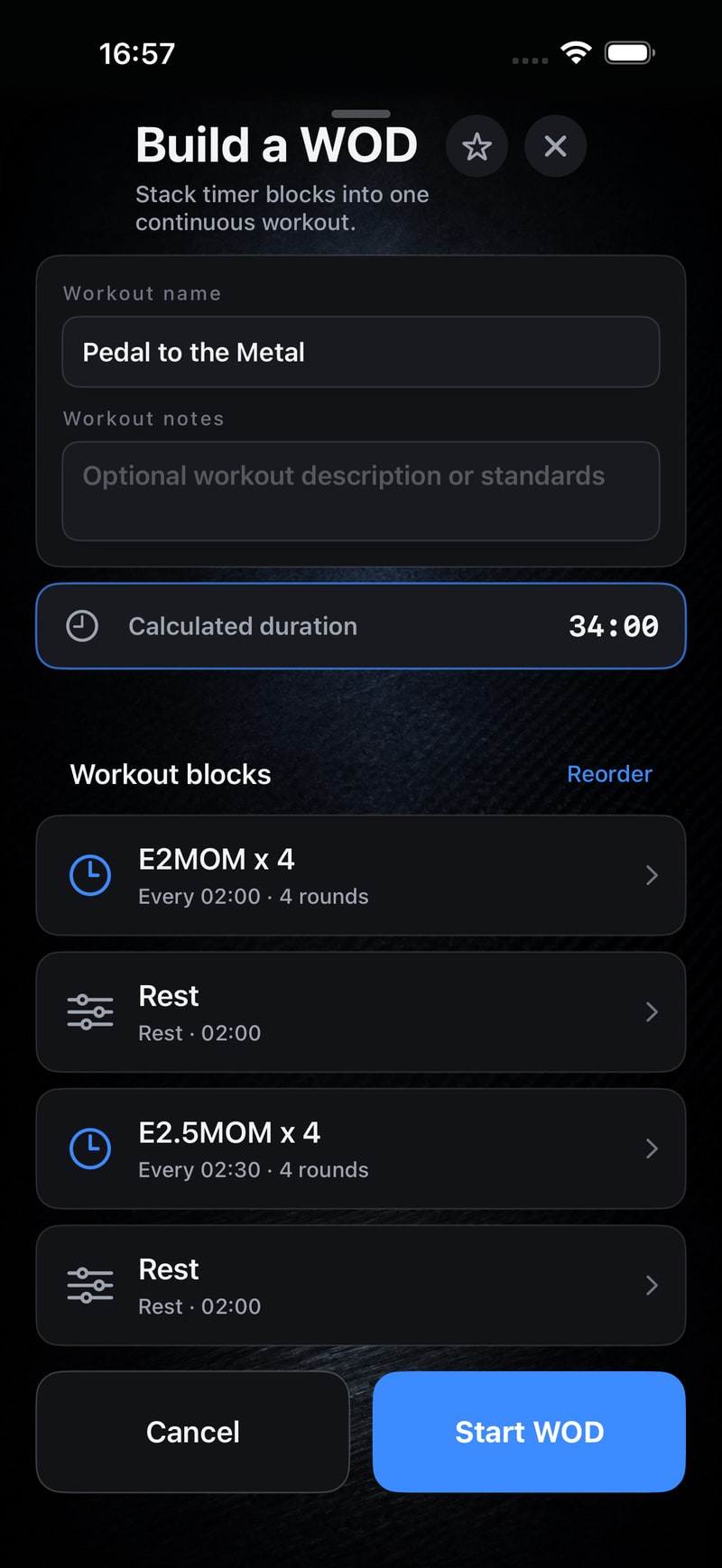
Use Build a WOD to combine different formats and rest blocks into one session. Reorder the blocks and check each setting before starting. It is useful when a warm-up, skill piece and conditioning block need different clocks.
For classes, see the gym timer setup guide for landscape and connected displays.
Worked example: three blocks in one WOD
Suppose your programme calls for a 10-minute EMOM, two minutes of rest and a 12-minute AMRAP. In Build a WOD, add an EMOM block with a 1:00 interval and 10 rounds, a 2:00 Rest block, and a 12:00 AMRAP block, in that order. The blocks total 24 minutes before any configured count-in.
Put the block order and movement prescriptions in the workout notes. Check the sequence before starting so the recovery sits between the two efforts. Keep separate notes for the EMOM prescription and AMRAP rounds/reps; they describe different kinds of result.
Questions before you start
Is GRIT a free WOD timer?
The core timer modes and workout builder are free to use without an account or subscription.
Can I use the timer in my web browser?
GRIT is an app for iPhone and iPad. This page explains the timer; it does not run a browser-based workout clock.
Will it keep a record of my workout?
You can save completed workout results locally in History. Apple Health matching is optional and depends on the available workout data.
Useful tools: if you take creatine alongside your training, use this free creatine calculator to work out a daily amount.
Put your next workout on the clock.
Choose the format, check your settings and start GRIT on iPhone or iPad.
Get GRIT on the App Store