Comparison
GRIT WOD Recorder vs WODProof
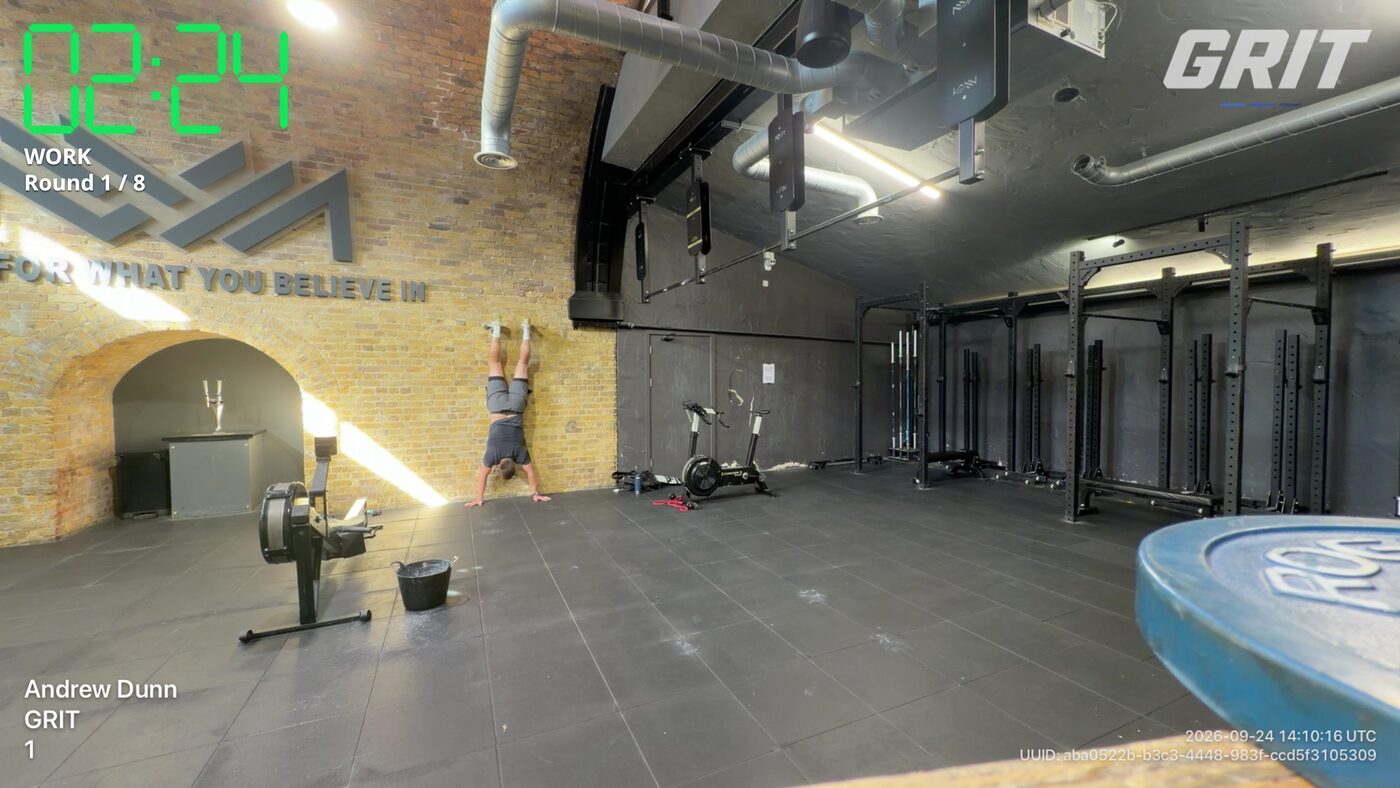
The short version: GRIT's WOD Recorder films your workout with the timer, the date and time and a unique video ID in the video, free and with no account. In a comp video (Competition mode on Android) the count-up clock, date, time and video ID are recorded into the video as you film, in one uncut take, and on iPhone you can upload it straight to your own YouTube channel. WODProof is a full training platform with shareable competition links, cloud backup and programmes, on a paid membership. If you just want a timestamped record of your WOD on your own phone, GRIT does it for nothing.
Side by side
| GRIT WOD Recorder | WODProof | |
|---|---|---|
| Platforms | iPhone and Android | iPhone, iPad and Android |
| Price | Free, no account | Free download; Membership £6.99/month or £49.99/year (14-day trial) |
| Timer | In the video. Comp videos (Competition mode on Android) record it as you film, from 0 at GO; Quick record adds it after filming (count-down, count-up or no clock) | Large timer display |
| Stamp | Date and time (local and UTC on iPhone, UTC on Android) and a unique video ID in the video; GRIT watermark on training videos | Unique, cheat-free share links |
| Comp videos | iPhone: Comp video, three short steps, on-camera intro, count-up clock from 0, one uncut take. Android: Competition mode, checklist, on-camera intro, count-up clock from GO, judge markers | Built for online competitions |
| Where videos go | On your phone (iPhone or Android): GRIT video library, camera roll or gallery, share. On iPhone, also your own YouTube channel, and your iCloud backup if you turn it on | Upload and cloud backup |
| Also includes | Full WOD timer: For Time, AMRAP, EMOM, Tabata, Intervals, Build a WOD, logbook | Training programmes, AI mobility plans, Concept2 and HR monitor connectivity |
| Status | Beta | Established app |
WODProof details are from its UK App Store listing, checked 11 October 2026.
How recording works in GRIT
For training, pick a timer, choose Quick record, frame the shot and press GO. For a comp video on iPhone, tap Comp video and follow three short steps; on Android, choose Competition mode. Each step, with screenshots, is on the GRIT WOD Recorder page.
Who should choose which
Choose GRIT if…
You want to film WODs for yourself or your coach with the clock and a timestamp in the video, keep the files on your phone, and pay nothing. Entering an online comp? Check its video rules first.
WODProof might suit if…
You want shareable competition links, cloud backup, structured programmes, AI mobility plans or Concept2 and heart-rate connections, and you're happy with a membership.
FAQ
Is the GRIT WOD Recorder free?
Yes. The WOD Recorder is part of GRIT, which is free with no account, no subscription and no in-app purchases. It is currently in beta.
What does WODProof cost?
WODProof is free to download. Its App Store listing offers a WODProof Membership at £6.99 a month or £49.99 a year, with a 14-day free trial for first-time users. Check the listing for what each tier includes.
What does a comp video add?
On iPhone, Comp video is built for filming comp video submissions: three short steps (the kind of comp, the workout and a Before you film checklist), an on-camera intro, and a count-up clock from 0 at GO with the date and time, all recorded into the video as you film, in one uncut take that can't be trimmed. On Android, Competition mode adds a pre-filming checklist, an on-camera intro, a count-up clock from GO and judge markers you can copy as timestamps, all recorded into the video by default as you film, in one uncut take. Each comp sets its own video rules, so read them before you film. Many ask for a clock you can see in the shot, so put GRIT's timer on a second phone or iPad in frame as well.
Where are my GRIT videos stored?
On your phone, iPhone or Android. Each recording is saved to GRIT's video library and you can save it to your camera roll or share it. GRIT does not upload your videos to its own servers. On iPhone you can also keep them in your iCloud backup (a setting, off to start) and upload one to your own YouTube channel, straight from the phone.
Which should I choose?
Choose GRIT if you want a free, no-account way to film your WOD with the clock and a timestamp in the video. Choose WODProof if you want shareable competition links, cloud backup, training programmes or AI mobility plans and are happy to pay for a membership.
Film your WOD. Free.
Timer, date, time and video ID in every recording. No account, no subscription.