WOD Recorder · Beta
Free WOD recorder for iPhone and Android
GRIT's WOD Recorder films your workout with the GRIT clock, phase and round, a GRIT stamp, the date and time recording started and a unique video ID in the video. It's free on iPhone and Android, needs no account, and keeps your videos on your phone. In Competition mode, for comp video submissions, they are recorded into the video as you film by default, in one uncut take, with a pre-filming checklist, an on-camera intro, a clock that counts up from GO and judge markers. Quick record adds them when filming stops. The Recorder is in beta.
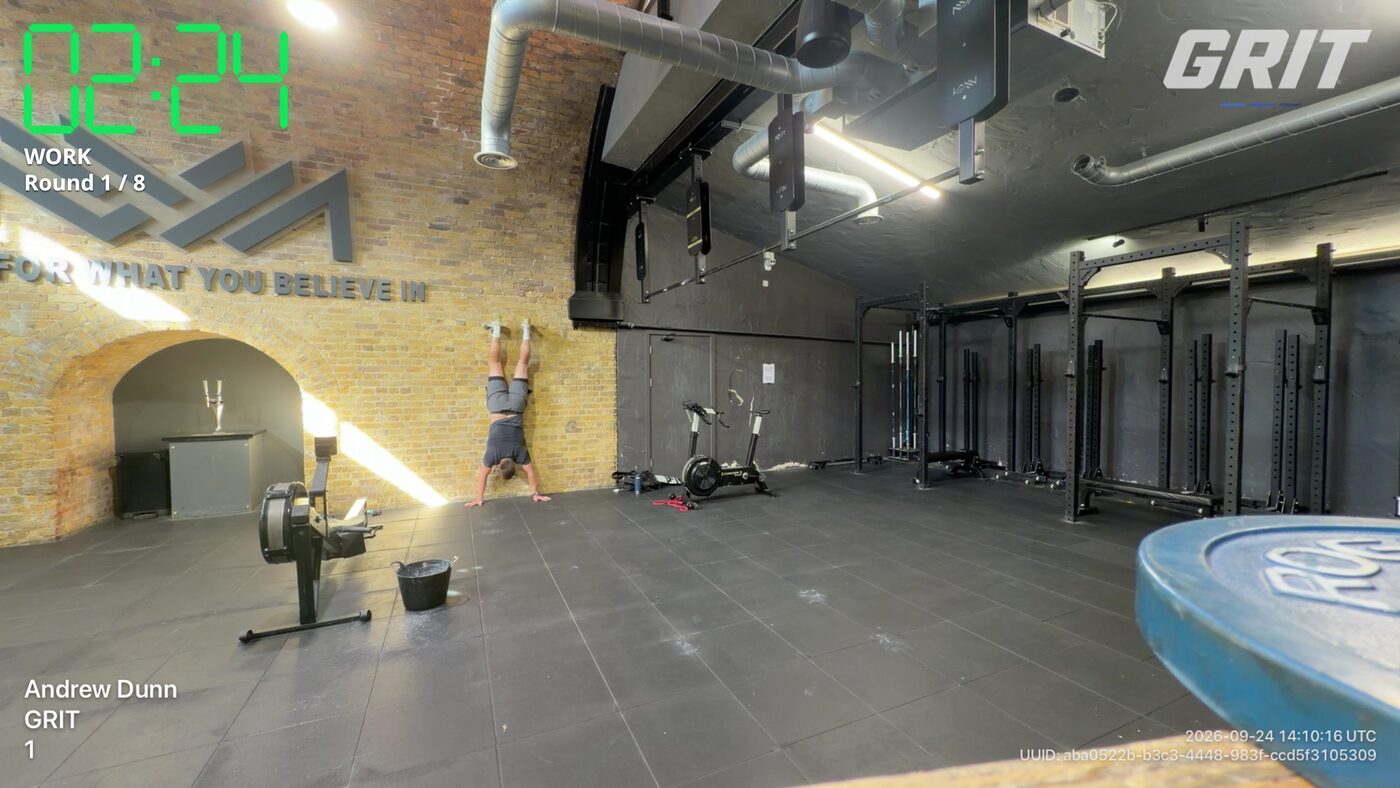
Film your workout with the timer showing on the video
- The clock: count-down, count-up or no clock in Quick record. Competition mode counts up from GO.
- Phase and round: for example WORK, Round 1 of 8.
- The GRIT stamp.
- Athlete and competition details you type in before you film.
- The date and time recording started (UTC), from your phone’s clock.
- A unique video ID.
In Competition mode all of this is recorded into the video as you film by default, in one uncut take, with nothing added afterwards. Quick record adds it when filming stops.
Quick record or Competition mode
Quick record
For training. Pick any GRIT timer, press GO and train. Count-down, count-up or no clock, landscape or portrait, and it stops itself after the workout. The clock and stamps are added when filming stops.
Competition mode
For comp videos. A pre-filming checklist, an on-camera intro, a clock that counts up from GO and judge markers you can copy as timestamps. By default, Competition mode records the clock and stamps into the video as you film, in one uncut take. Each comp sets its own video rules, so read them before you film.
Record a comp video with a running clock
By default, Competition mode records the running clock into the video as you film, counting up from GO, in one uncut take, so there’s nothing to add in an editing app afterwards. If you turn that off, the clock is added when filming stops instead.
Many comps ask for videos that aren’t edited, and many ask for a clock you can see in the shot as well, so run GRIT’s timer on a second phone, iPad or TV in frame. If your comp wants a YouTube link, upload the video in the YouTube app, set it to public and check it plays. Read your comp’s own video rules before you film.
On iPhone and Android
| iPhone and iPad | Android | |
|---|---|---|
| WOD Recorder (beta) | Yes | Yes |
| Quick record and Competition mode | Yes | Yes |
| Where videos are saved | GRIT’s video library on your phone. Save to your camera roll or share | GRIT’s video library on your phone. Save to your gallery or share |
| YouTube upload | Not in the app yet. Save the video, then upload it with the YouTube app. | |
| Price and account | Free. No account | Free. No account |
How to film a WOD in GRIT
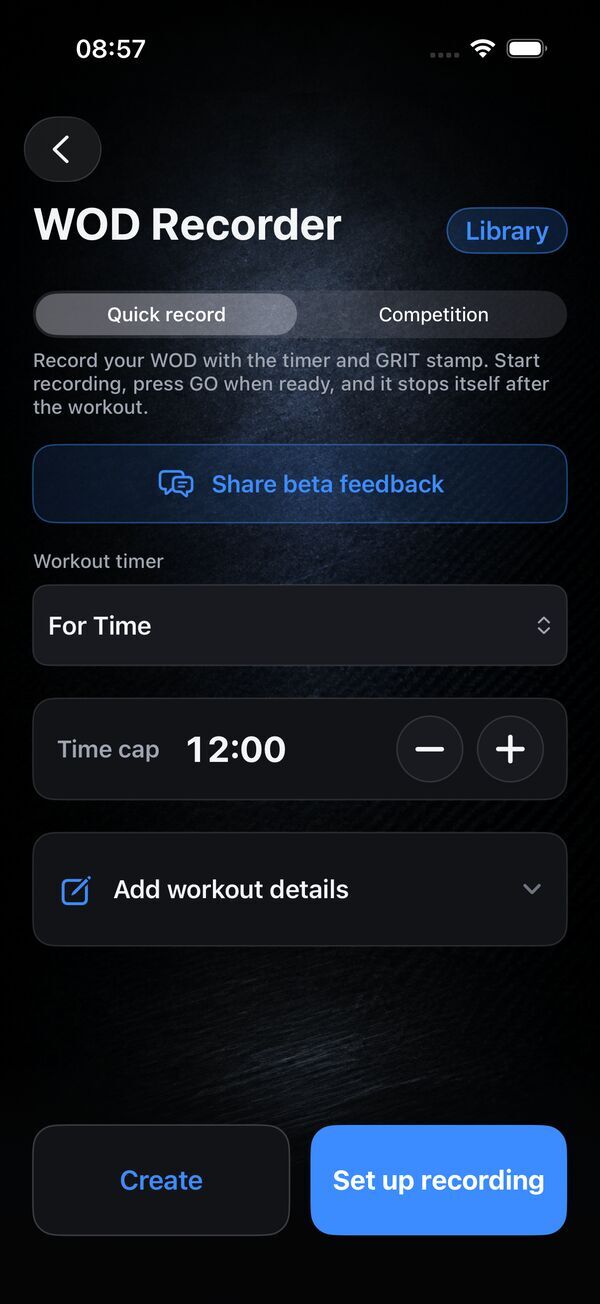
- Pick a timer. Any GRIT timer, with your cap, rounds or intervals.
- Set the mode. Quick record for training, Competition for a comp video submission.
- Frame the shot and press GO. Add athlete and competition details, choose landscape or portrait and get your whole body in shot.
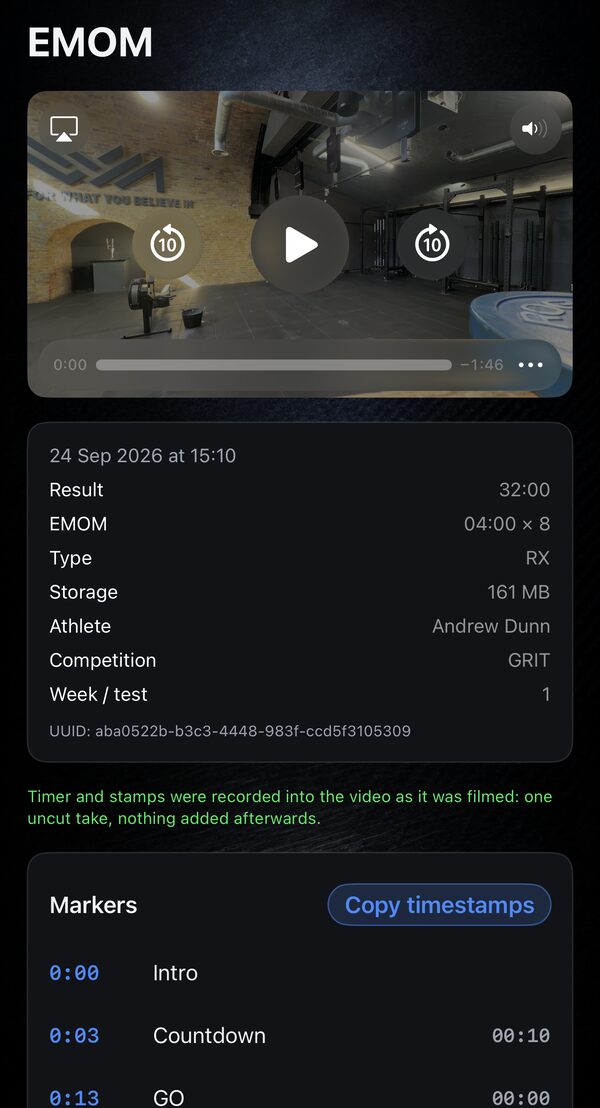
- Check the video and save it. Each video keeps its result, athlete details, video ID and markers you can copy as timestamps. Save it to your camera roll or gallery, or share it.
Comparing recorder apps? See GRIT vs WODProof. Just need a clock? Start with the WOD timer guide.
FAQ
Is there a free WOD recorder app?
Yes. GRIT WOD Timer has a free WOD Recorder (beta) on iPhone and Android. There’s no account, no subscription and nothing to buy.
How do I film my workout with the timer showing on the video?
In GRIT, pick a timer, choose Quick record or Competition, frame the shot and press GO. GRIT puts the clock, phase and round, a GRIT stamp, the date and time and a video ID in the video.
What does GRIT put in the video?
The clock (count-down, count-up or none in Quick record; Competition mode counts up from GO), the phase and round, a GRIT stamp, any athlete and competition details you add, the date and time recording started (UTC, from your phone’s clock) and a unique video ID.
Does the WOD Recorder work on Android?
Yes, including Competition mode. Videos are saved in GRIT’s library on your phone, and you can save them to your gallery or share them.
Where are my videos stored?
On your phone. Each recording is saved to GRIT’s video library, and you can save it to your camera roll or gallery or share it. GRIT doesn’t upload your videos to its servers.
What does Competition mode add?
Competition mode is built for filming comp video submissions: a pre-filming checklist, an on-camera intro, a clock that counts up from GO and judge markers you can copy as timestamps, all recorded into the video by default as you film, in one uncut take. Each comp sets its own video rules, so read them before you film. Many ask for a clock you can see in the shot, so put GRIT’s timer on a second phone or iPad in frame as well.
How do I record a comp video with a running clock?
Use Competition mode: by default it records the running clock into the video as you film, counting up from GO, in one uncut take, so there’s nothing to add in an editing app. Many comps also ask for a clock you can see in the shot, so run GRIT’s timer on a second phone, iPad or TV in frame, and read your comp’s own video rules before you film.
Can I upload to YouTube from GRIT?
Not yet. Save the video to your camera roll (iPhone) or gallery (Android), then upload it with the YouTube app.
Is it a WODProof alternative?
Yes, a free one: GRIT films your WOD with the clock and stamps in the video, with no account or membership. WODProof adds share links, cloud backup and programmes on a paid membership. See GRIT vs WODProof.
Film your WOD. Free.
Clock, GRIT stamp, date, time and video ID in every recording. No account, no subscription.